# FreePBX
FreePBX is a web-based open-source graphical user interface (GUI) that manages Asterisk, a voice over IP and telephony server.
# fwconsole
##### Tutorials
- [CLI Commands](https://wiki.freepbx.org/display/FPG/CLI+Commands)
##### Help
```
fwconsole help
# lists all commands
php /usr/sbin/fwconsole list
```
##### Service Start/Stop
```shell
# Start Asterisk and run other needed FreePBX commands
fwconsole start
# Stop Asterisk and run other needed FreePBX commands
fwconsole stop
```
##### Module Admin
```shell
# Check Online Repository
fwconsole ma listonline
# Install a module
fwconsole ma download ivr
fwconsole ma install ivr
# Installing specific module versions with multiple modules
fwconsole ma install foomodule:15.1.3 barmodule:15.0.9
# Upgrade all modules
fwconsole ma listonline | grep "upgrade"
fwconsole ma upgradeall
# Apply the settings changed
fwconsole reload
```
##### Database
連線資料庫 asterisk (自動從 /etc/freepbx.conf 取得連線資訊)
```
fwconsole m
```
# Post-Installation
##### Set root's password for MySQL
```shell
mysql_secure_installation
```
##### Log File Rotation
If this is not done the log files will keep growing indefinitely.
Edit `/etc/logrotate.d/asterisk`
```
/var/spool/mail/asterisk
/var/log/asterisk/*log
/var/log/asterisk/full
/var/log/asterisk/dtmf
/var/log/asterisk/freepbx_dbug
/var/log/asterisk/fail2ban {
weekly
missingok
rotate 4
#compress
notifempty
sharedscripts
create 0640 asterisk asterisk
postrotate
/usr/sbin/asterisk -rx 'logger reload' > /dev/null 2> /dev/null || true
endscript
su root root
}
```
##### TFTP
If you plan to use hardware SIP phones you will probably want to set up TFTP.
```shell
yum -y install tftp-server
nano /etc/xinetd.d/tftp
```
```
change server_args = -s /var/lib/tftpboot
to server_args = -s /tftpboot
change disable=yes
to disable=no
```
```shell
mkdir /tftpboot
chmod 777 /tftpboot
systemctl restart xinetd
firewall-cmd --permanent --zone=public --add-port=69/udp
firewall-cmd --reload
```
##### MPG123
This is used in combination with sox to convert uploaded mp3 files to Asterisk compatible wav files.
```shell
cd /usr/src
wget http://ufpr.dl.sourceforge.net/project/mpg123/mpg123/1.22.4/mpg123-1.22.4.tar.bz2
tar -xjvf mpg123*
cd mpg123*/
./configure --prefix=/usr --libdir=/usr/lib64 && make && make install && ldconfig
```
##### Digum addons
To register digium® licenses.
```shell
cd /usr/src
wget http://downloads.digium.com/pub/register/linux/register
chmod +x register
./register
```
To install the individual addons refer to the README files and ignore the register instructions.
- [http://downloads.digium.com/pub/telephony/codec\_g729/README](http://downloads.digium.com/pub/telephony/codec_g729/README)
- [http://downloads.digium.com/pub/telephony/res\_digium\_phone/README](http://downloads.digium.com/pub/telephony/res_digium_phone/README)
- [http://downloads.digium.com/pub/telephony/fax/README](http://downloads.digium.com/pub/telephony/fax/README)
- [http://downloads.digium.com/pub/telephony/hpec/README](http://downloads.digium.com/pub/telephony/hpec/README)
##### Password protect http access
A simple way to block scanners looking for exploits on apache web servers.
```shell
mkdir -p /usr/local/apache/passwd
htpasswd -c /usr/local/apache/passwd/wwwpasswd someusername
htpasswd -c /usr/local/apache/passwd/wwwpasswd someotherusername
nano /var/www/html/.htaccess
```
```
# .htaccess files require AllowOverride On in /etc/httpd/conf/httpd.conf
AuthType Basic
AuthName "Restricted Access"
AuthUserFile /usr/local/apache/passwd/wwwpasswd
Require valid-user
```
Alternatively, the above .htaccess config can be added to /etc/httpd/conf/httpd.conf or as a separate file in /etc/httpd/conf.d/ as follows.
```
AuthType Basic
AuthName "Restricted Area"
AuthUserFile /usr/local/apache/passwd/wwwpasswd
Require valid-user
```
##### Whitelist protect http access
If http access is only required from certain IP addresses.
NOTE: Apache 2.4 以後才支援這功能
Edit `/etc/httpd/conf.d/whitelist.conf`
```
## Uncomment the following line to disable the whitelist
#Require all granted
Require ip x.x.x.x
Require ip x.x.x.x x.x.x.x x.x.x.x
Require ip x.x
Require ip x.x.x.0/255.255.255.0
Require host somedomain.com
#
## See http://httpd.apache.org/docs/2.4/mod/mod_authz_host.html for more examples
#
```
舊版 Apache 設定
NOTE:確定網站目錄有 AllowOverride All 設定
.htaccess:
```
order deny,allow
deny from all
# Alang's IPs
allow from 123.123.123.1
allow from 111.222.222.2
allow from 192.168.99.
```
##### G.729 Codec
- [https://www.asterisk.org/products/add-ons/g729-codec/](https://www.asterisk.org/products/add-ons/g729-codec/)
- [http://asterisk.hosting.lv/](http://asterisk.hosting.lv/)
# OSS Endpoint Manager
#### Links
- Github: [https://github.com/billsimon/endpointman](https://github.com/billsimon/endpointman)
- Doc: [https://wiki.freepbx.org/display/FPG/OSS+End+Point+Manager](https://wiki.freepbx.org/display/FPG/OSS+End+Point+Manager)
- [EPM-Supported Devices](https://wiki.freepbx.org/display/fpg/epm-supported+devices)
- [Introducing OSS Endpoint Manager for FreePBX 16 & Incredible PBX 2027 – Nerd Vittles](https://nerdvittles.com/introducing-oss-endpoint-manager-for-freepbx-16-incredible-pbx-2027/)
#### Installation
Incredible PBX 2027
```bash
cd /var/www/html/admin/modules
wget http://incrediblepbx.com/ossepm16.tgz
tar zxvf ossepm16.tgz
rm -f ossepm16.tgz
rm -f /tmp/*
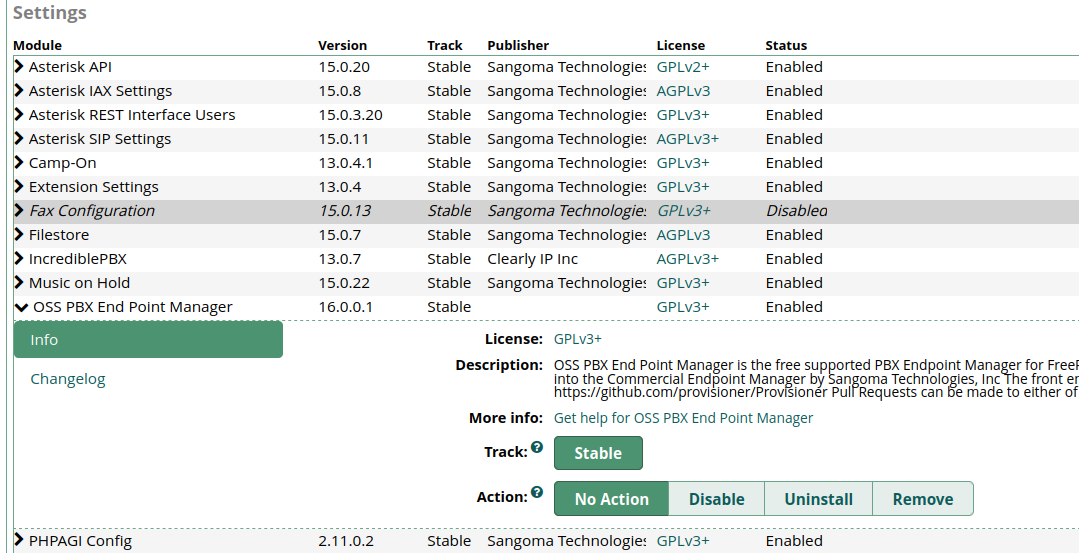
fwconsole ma install endpointman
fwconsole reload
```
[](https://osslab.tw/uploads/images/gallery/2023-04/ossepm-module.png)
#### Configuration
##### Package Server
FreePBX GUI > Settings > OSS Endpoint Manager > Settings
- Package Server: `http://provision.lol/`
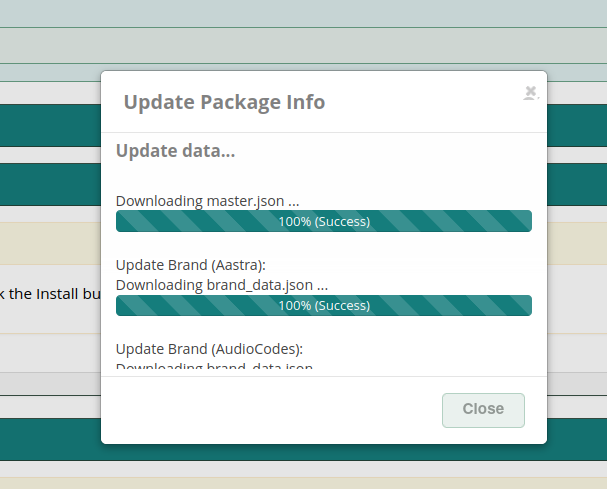
FreePBX GUI > Settings > OSS Endpoint Manager > Package Manager
- Click the Check for Update
如果沒出現更新視窗,檢查網路狀態或稍後再試。
[](https://osslab.tw/uploads/images/gallery/2023-04/ossepm-update-package.png)
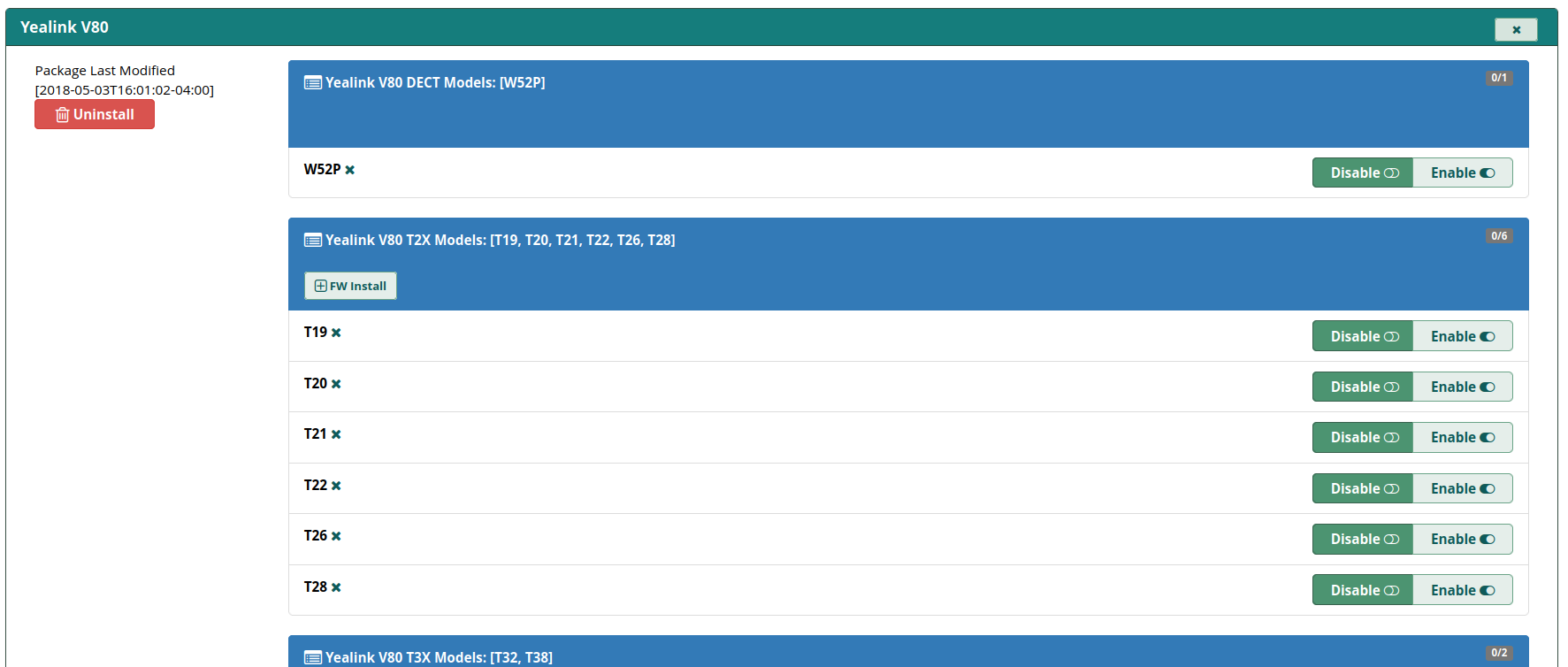
##### Additional brands (Grandstream & Yeallink V80)
- Download: [SourceForge](https://sourceforge.net/projects/pbxinaflash/files/OSS%20End%20Point%20Manager%20for%20FreePBX%2016%20and%20Incredible%20PBX%202027/)
FreePBX GUI > Settings > OSS Endpoint Manager > Settings > Package Import/Export
- Brand Package: `grandstream.tgz` `yealinkv80.tgz`
[](https://osslab.tw/uploads/images/gallery/2023-04/ossepm-yealinkv80.png)
##### IP & NTP & Type
FreePBX GUI > Settings > OSS Endpoint Manager > Settings
- IP address of phone server: <server-ip-addr>
- Internal IP address of phone server: <server-ip-addr>
- Configuration Type: Web (HTTP)
- Time Zone: Asia/Taipei
- Time Server: `tw.pool.ntp.org`
如果以後有修改 Settings 的內容,或者 Template Editor,完成變更後,還要到 Extension Mapping,選擇 Selected Phone Options 或者 Global Phone Options,按下 Rebuild,這樣才會套用更新到所有裝置的佈署檔。
#### Extension Provisioning
##### Add Device: Linksys PAP2T
FreePBX GUI > Settings > OSS Endpoint Manager > Package Manager
- Cisco/Linksys - PAP2T : Enable
##### Create Template: my-pap2t
注意:預設的部署檔會將 PAP2T 的管理網頁界面關閉,新增一個部署設定檔 my-pap2t。
技巧:如果 template 內容如果有修改過,必須到 Extension Mapping 選擇分機後,重新執行一次 Save,這樣新的設定才會被套用。
FreePBX GUI > Settings > OSS Endpoint Manager > Template Manager
- Template Name: my-pap2t
- Product Select: Linksys/Cisco
- Clone Template From: PAP2T
Edit the template: my-pap2t
- Profile Resync: 3600 (對應設備參數 `Resync_Periodic`,秒數不要調太低,避免設備太忙碌更新)
- Enable Webserver: Yes
- Enable Webserver Admin: Yes
- Administrator Password: <set-your-password>
- User Password: <set-your-password>
注意:編輯 template 時,不要使用 Edit Global Setting Overrides,這個可能會弄壞 template。如果不小心 弄壞 template,只要將 template 移除後重建即可。
技巧:template 或者原始設定檔 (`spa$mac.xml`) 有修改過參數,要如何在設備部署前做驗證?以 HTTP 為例,瀏覽這段網址 `http://freepbx-ip-addr/provisioning/p.php/spaxxxxxxx.xml`,xxxxxxx 是設備的 MAC address (必須是小寫),可以下載部署設定檔。
##### Extension Mapping
FreePBX GUI > Settings > OSS Endpoint Manager > Extension Mapping
- MAC Address: <pap2t-mac-addr>
- IPEI: <blank>
- Brand: Cisco/Linksys
- Model: PAP2T
- Line: 1
- Extension Number: <select-your-extension>
- Template: my-pap2t
##### PAP2T 設置
登入 PAP2T 管理界面 (advanced view) > Provisioning
- Provision Enable: yes
- Profile Rule: `http:///provisioning/p.php/spa$MA.xml`
須重啟電源才會重新部署新設定。
#### Provisioning Template Files
##### SPA-3102/PAP2T
File: [spa$mac.xml](https://osslab.tw/attachments/74)
將檔案複製到目錄 `/var/www/html/admin/modules/_ep_phone_modules/endpoint/cisco/linksysata/`
修正內容:
1. 移除日光節約的時間設定
2. 移除 LAN 關閉 DHCP(SPA3102 必須啟用)
3. 移除部署主機位址的設定(目前只能支援 tftp 方式)
# Ring Strategies
##### Tutorials
- [Ring Group and Follow-Me Ring Strategies (1 of 2) | FreePBX - Let Freedom Ring](https://www.freepbx.org/ring-group-and-follow-me-ring-strategies-1-of-2/)
- [Ring Group and Follow-Me Ring Strategies (2 of 2) | FreePBX - Let Freedom Ring](https://www.freepbx.org/ring-group-and-follow-me-ring-strategies-2-of-2/)
- [Ring Groups Module User Guide - PBX GUI - Sangoma Documentation (atlassian.net)](https://sangomakb.atlassian.net/wiki/spaces/PG/pages/24314016/Ring+Groups+Module+User+Guide#Ring-Strategy)