# Ansible
Ansible 自動化暨組態管理工具,其可實現基礎架構即程式碼。它是開源的,並且該套件包括軟體供應、組態管理和應用程式部署等功能。 Ansible 最初由 Michael DeHaan 編寫,並於 2015 年被Red Hat收購,其旨在自動化設定類 Unix系統和Microsoft Windows 的環境。
# Ansible GUI
#### 簡介
Ansible是一套軟體工具,其可實現基礎架構即程式碼。它是開源的,並且該套件包括軟體供應、組態管理和應用程式部署等功能。 Ansible 最初由 Michael DeHaan 編寫,並於 2015 年被Red Hat收購,其旨在自動化設定類 Unix系統和Microsoft Windows 的環境。
#### Links
- Ansible Community
- [AWX for Docker](https://github.com/ansible/awx/blob/devel/tools/docker-compose/README.md)
- [Documentation](https://docs.ansible.com/ansible/latest/getting_started/index.html)
- [How to Test Ansible Roles with Molecule and Docker](https://www.howtoforge.com/how-to-test-ansible-roles-with-molecule-and-docker/)
- Red Hat Ansible Automation Platform
- [Download](https://developers.redhat.com/products/ansible/download)
- [Trial License](https://www.redhat.com/en/technologies/management/ansible/trial)
- [Ansible Lightspeed with Watson Code Assistant](https://docs.ai.ansible.redhat.com/)
使用 IBM Watson Code Assistant 自動編寫 playbooks
- [Setting up VSCoce and Ansible Lightspeed on Ubuntu 22.04](https://www.cyberciti.biz/programming/howto-setting-up-vscode-for-ansible-lightspeed-ai-in-ubuntu-22-04-desktop/)
- [Ansible Galaxy](https://galaxy.ansible.com/home)
#### Commands
```bash
# 列出 lookup 可用的 plugins
# Usage:
# motd_value: "{{ lookup('file', '/etc/motd') }}"
ansible-doc -l -t lookup
```
#### Ansible Semaphore
##### Links
- [https://www.ansible-semaphore.com/](https://www.ansible-semaphore.com/)
- [Github](https://github.com/ansible-semaphore/semaphore)
- [Docs](https://docs.ansible-semaphore.com/administration-guide/installation)
- \[Video\] [This web UI for Ansible is so damn useful!](https://www.youtube.com/watch?v=NyOSoLn5T5U)
- [Ansible Semaphore UI: My New Go-To Infrastructure Automation Tool - Virtualization Howto](https://www.virtualizationhowto.com/2025/07/ansible-semaphore-ui-my-new-go-to-infrastructure-automation-tool/)
##### Install with Docker
Create the directory
```bash
mkdir playbooks
mkdir config
chown 1001:1001 config
```
docker-compose.yml:
```yaml
---
volumes:
semaphore-mysql:
driver: local
services:
mysql:
image: mysql:8.0
hostname: mysql
volumes:
- semaphore-mysql:/var/lib/mysql
environment:
- MYSQL_RANDOM_ROOT_PASSWORD=yes
- MYSQL_DATABASE=semaphore
- MYSQL_USER=semaphore
- MYSQL_PASSWORD=secret-password # change!
restart: unless-stopped
semaphore:
container_name: ansiblesemaphore
image: semaphoreui/semaphore:v2.8.90
user: 1001:1001 # change if needed
ports:
- 3000:3000
environment:
- SEMAPHORE_DB_USER=semaphore
- SEMAPHORE_DB_PASS=secret-password # change!
- SEMAPHORE_DB_HOST=mysql
- SEMAPHORE_DB_PORT=3306
- SEMAPHORE_DB_DIALECT=mysql
- SEMAPHORE_DB=semaphore
- SEMAPHORE_ADMIN_PASSWORD=secret-admin-password # change!
- SEMAPHORE_ADMIN_NAME=admin
- SEMAPHORE_ADMIN_EMAIL=admin@localhost
- SEMAPHORE_ADMIN=admin
- SEMAPHORE_ACCESS_KEY_ENCRYPTION= # add to your access key encryption !
- ANSIBLE_HOST_KEY_CHECKING=false # (optional) change to true if you want to enable host key checking
volumes:
- ./inventory/:/inventory:ro
- ./authorized-keys/:/authorized-keys:ro
- ./config/:/etc/semaphore:rw
- ./playbooks:/playbooks:ro
restart: unless-stopped
depends_on:
- mysql
```
You must specify following confidential variables:
- `MYSQL_PASSWORD` and `SEMAPHORE_DB_PASS` — password for the MySQL user.
- `SEMAPHORE_ADMIN_PASSWORD` — password for the Semaphore's admin user.
- `SEMAPHORE_ACCESS_KEY_ENCRYPTION` — key for encrypting access keys in database. It must be generated by using the following command: `head -c32 /dev/urandom | base64`.
##### Get Started
1. Create New Project
2. New Keys:
- Name1: None
- Type1: None
- --------
- Name2: ssh\_alang
- Type2: SSH Key
- Username2: alang
- Private key2: <Key-String>
- --------
- Name3: sudo\_alang
- Type3: Login with password
- Login3: alang
- Password3: <password>
3. New Repository:
- Name: Local
- Path: /playbooks
- Access Key: None
#### AWX
##### RedHat 8.7
相依性套件
```bash
dnf update
reboot
dnf install ansible-core openssl-libs
dnf group install "Development Tools"
dnf install https://dl.fedoraproject.org/pub/epel/epel-release-latest-8.noarch.rpm
dnf install python39-setuptools_scm
```
AWX
```bash
git clone -b 22.3.0 https://github.com/ansible/awx.git
cd awx
# 如果要自訂密碼,可以編輯檔案;也可以跳過
#vi tools/docker-compose/inventory
make docker-compose-build
cp Makefile{,.orig}
sed -i 's/^\(DOCKER_COMPOSE ?=\).*/\1 docker compose/' Makefile
make docker-compose
```
指令會在前景保持執行,下面的其他操作要在另外一個終端機執行。
AWX Web UI: `https://server.ip.adress:8043/`
網頁顯示錯誤訊息:
> <% if (process.env.NODE\_ENV === 'production') { %> <% } %> <% if (process.env.NODE\_ENV === 'production') { %> <% } else { %> <% } %> <% if (process.env.NODE\_ENV === 'production') { %>
Clean and build the UI
```bash
docker exec tools_awx_1 make clean-ui ui-devel
```
輸出內容停在以下訊息
> Creating an optimized production build...
> Browserslist: caniuse-lite is outdated. Please run:
> npx update-browserslist-db@latest
> Why you should do it regularly: https://github.com/browserslist/update-db#readme
Ctrl + C 離開
```bash
docker exec -it tools_awx_1 bash
> cd /awx_devel/awx/ui
> npx update-browserslist-db@latest
> exit
```
再執行一次
```bash
docker exec tools_awx_1 make clean-ui ui-devel
```
如果成功執行,輸出結果如下:
> The project was built assuming it is hosted at ./.
> You can control this with the homepage field in your package.json.
>
> The build folder is ready to be deployed.
>
> Find out more about deployment here:
>
> https://cra.link/deployment
>
> touch awx/ui/.ui-built
> make\[1\]: Leaving directory '/awx\_devel'
重啟 AWX 主程式執行
先 Ctrl + C 中止 container,再執行
```bash
make docker-compose
```
瀏覽網頁:`https://server.ip.adress:8043/`
[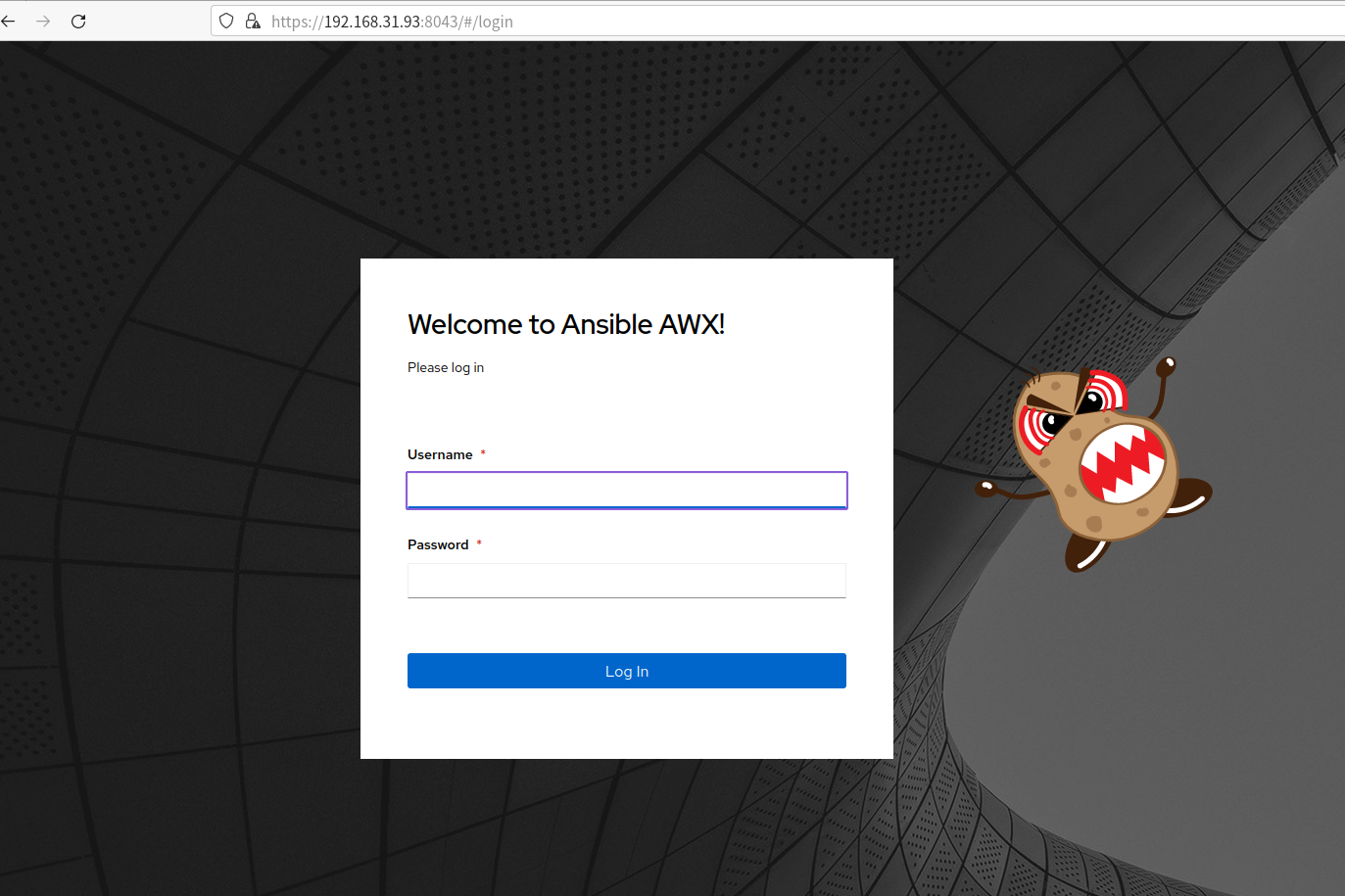](https://osslab.tw/uploads/images/gallery/2023-06/awx-login.png)
帳號:admin ,密碼:{在 log 裡}
##### Q & A
> No match for argument: rsyslog-8.2102.0-106.el9
Solution:
```bash
cp tools/ansible/roles/dockerfile/templates/Dockerfile.j2{,.orig}
sed -i 's/rsyslog-8.[0-9a-z\.\-]*/rsyslog/g' tools/ansible/roles/dockerfile/templates/Dockerfile.j2
```
#### AWX Commands
啟動 AWX
```bash
# 前景運行
cd awx-repo/
make docker-compose
# 背景運行
make docker-compose COMPOSE_UP_OPTS=-d
```
停止 AWX
```bash
docker stop tools_awx_1 tools_postgres_1 tools_redis_1
```
Create an admin user
```bash
docker exec -ti tools_awx_1 awx-manage createsuperuser
```
# Playbooks
- \[Github\] [Ansible for DevOps Examples](https://github.com/geerlingguy/ansible-for-devops)
- \[AI\] [Welcome to the Ansible Lightspeed with IBM Watson Code Assistant Technical Preview | Ansible Collaborative](https://www.ansible.com/blog/welcome-to-the-ansible-lightspeed-technical-preview/)
- \[AI\] [Red Hat Ansible Lightspeed | Red Hat Developer](https://developers.redhat.com/products/ansible/lightspeed)
- [ansible-for-devops.pdf](https://osslab.tw/attachments/82)
- [rhce-ansible-automation-study-guide-final.pdf](https://osslab.tw/attachments/92)
Include a variables file
```yaml
---
- hosts: all
become: true
vars_files:
- vars.yml
```
vars.yml
```yaml
---
download_dir: /tmp
solr_dir: /opt/solr
solr_version: 8.6.0
solr_checksum: sha512:6b0d618069e37215f305d9a61a3e65be2b9cfc32a3689ea6a25\
be2f220b1ecc96a644ecc31c81e335a2dfa0bc8b7d0f2881ca192c36fd435cdd832fd7309a9ddb
```
Installs Apache on a RHEL/CentOS server
```yaml
---
- hosts: all
become: yes
tasks:
- name: Install Apache.
dnf:
name:
- httpd
- httpd-devel
state: present
- name: Copy configuration files.
copy:
src: "{{ item.src }}"
dest: "{{ item.dest }}"
owner: root
group: root
mode: 0644
with_items:
- src: httpd.conf
dest: /etc/httpd/conf/httpd.conf
- src: httpd-vhosts.conf
dest: /etc/httpd/conf/httpd-vhosts.conf
- name: Make sure Apache is started now and at boot.
service:
name: httpd
state: started
enabled: yes
```
Deploy Node.js app
```yaml
---
- hosts: all
become: yes
vars:
node_apps_location: /usr/local/opt/node
tasks:
- name: Install EPEL repo.
dnf: name=epel-release state=present
- name: Import Remi GPG key.
rpm_key:
key: "https://rpms.remirepo.net/RPM-GPG-KEY-remi2018"
state: present
- name: Install Remi repo.
dnf:
name: "https://rpms.remirepo.net/enterprise/remi-release-8.rpm"
state: present
- name: Ensure firewalld is stopped (since this is for testing).
service: name=firewalld state=stopped
- name: Install Node.js and npm.
dnf: name=npm state=present enablerepo=epel
- name: Install Forever (to run our Node.js app).
npm: name=forever global=yes state=present
- name: Ensure Node.js app folder exists.
file: "path={{ node_apps_location }} state=directory"
- name: Copy example Node.js app to server.
copy: "src=app dest={{ node_apps_location }}"
- name: Install app dependencies defined in package.json.
npm: path={{ node_apps_location }}/app
- name: Check list of running Node.js apps.
command: /usr/local/bin/forever list
register: forever_list
changed_when: false
- name: Start example Node.js app.
command: "/usr/local/bin/forever start {{ node_apps_location }}/app/app.js"
when: "forever_list.stdout.find(node_apps_location + '/app/app.js') == -1"
```
Basic LAMP server setup
```yaml
tasks:
- name: Get software for apt repository management.
apt:
state: present
name:
- python3-apt
- python3-pycurl
- name: Add ondrej repository for later versions of PHP.
apt_repository: repo='ppa:ondrej/php' update_cache=yes
- name: "Install Apache, MySQL, PHP, and other dependencies."
apt:
state: present
name:
- acl
- git
- curl
- unzip
- sendmail
- apache2
- php8.2-common
- php8.2-cli
- php8.2-dev
- php8.2-gd
- php8.2-curl
- aphp8.2-opcache
- php8.2-xml
- php8.2-mbstring
- php8.2-pdo
- php8.2-mysql
- php8.2-apcu
- libpcre3-dev
- libapache2-mod-php8.2
- python3-mysqldb
- mysql-server
- name: Disable the firewall (since this is for local dev only).
service: name=ufw state=stopped
- name: "Start Apache, MySQL, and PHP."
service: "name={{ item }} state=started enabled=yes"
with_items:
- apache2
- mysql
```
Configure Apache
```yaml
- name: Enable Apache rewrite module (required for Drupal).
apache2_module: name=rewrite state=present
notify: restart apache
- name: Add Apache virtualhost for Drupal.
template:
src: "templates/drupal.test.conf.j2"
dest: "/etc/apache2/sites-available/{{ domain }}.test.conf"
owner: root
group: root
mode: 0644
notify: restart apache
- name: Enable the Drupal site.
command: >
a2ensite {{ domain }}.test
creates=/etc/apache2/sites-enabled/{{ domain }}.test.conf
notify: restart apache
- name: Disable the default site.
command: >
a2dissite 000-default
removes=/etc/apache2/sites-enabled/000-default.conf
notify: restart apache
```
Template: drupal.test.conf.j2
```
ServerAdmin webmaster@localhost
ServerName {{ domain }}.test
ServerAlias www.{{ domain }}.test
DocumentRoot {{ drupal_core_path }}/web
Options FollowSymLinks Indexes
AllowOverride All
```
Configure PHP with *lineinfile*
```yaml
- name: Adjust OpCache memory setting.
lineinfile:
dest: "/etc/php/8.2/apache2/conf.d/10-opcache.ini"
regexp: "^opcache.memory_consumption"
line: "opcache.memory_consumption = 96"
state: present
notify: restart apache
```
Configure MySQL
```yaml
- name: Create a MySQL database for Drupal.
mysql_db: "db={{ domain }} state=present"
- name: Create a MySQL user for Drupal.
mysql_user:
name: "{{ domain }}"
password: "1234"
priv: "{{ domain }}.*:ALL"
host: localhost
state: present
```
Install Composer with *get\_url*
```yaml
- name: Download Composer installer.
get_url:
url: https://getcomposer.org/installer
dest: /tmp/composer-installer.php
mode: 0755
- name: Run Composer installer.
command: >
php composer-installer.php
chdir=/tmp
creates=/usr/local/bin/composer
- name: Move Composer into globally-accessible location.
command: >
mv /tmp/composer.phar /usr/local/bin/composer
creates=/usr/local/bin/composer
```
Create a Drupal project with Composer
```yaml
- name: Ensure Drupal directory exists.
file:
path: "{{ drupal_core_path }}"
state: directory
owner: www-data
group: www-data
- name: Check if Drupal project already exists.
stat:
path: "{{ drupal_core_path }}/composer.json"
register: drupal_composer_json
- name: Create Drupal project.
composer:
command: create-project
arguments: drupal/recommended-project "{{ drupal_core_path }}"
working_dir: "{{ drupal_core_path }}"
no_dev: true
become_user: www-data
when: not drupal_composer_json.stat.exists
```
Decompress the tar file
```yaml
- name: Download Solr.
get_url:
url: "https://archive.apache.org/dist/lucene/solr/\
{{ solr_version }}/solr-{{ solr_version }}.tgz"
dest: "{{ download_dir }}/solr-{{ solr_version }}.tgz"
checksum: "{{ solr_checksum }}"
- name: Expand Solr.
unarchive:
src: "{{ download_dir }}/solr-{{ solr_version }}.tgz"
dest: "{{ download_dir }}"
remote_src: true
creates: "{{ download_dir }}/solr-{{ solr_version }}/README.txt"
```
# Learning
##### Ansible Automation Platform (AAP)
- [Learn Red Hat Ansible Automation Platform | Interactive labs](https://www.redhat.com/en/interactive-labs/ansible)
- [Red Hat Ansible Automation Platform](https://docs.redhat.com/en/documentation/red_hat_ansible_automation_platform/2.5)
- [Release notes](https://docs.ansible.com/automation-controller/latest/html/release-notes/index.html)
- [Automation Controller CLI](https://docs.ansible.com/automation-controller/latest/html/controllercli/index.html)
- [Automation Controller documentation archive](https://docs.ansible.com/automation-tower-prior-versions.html)
##### Ansible Automation Controller
- [Get Starter with Ansible Controller 2.5 @Red hat](https://play.instruqt.com/redhat/invite/tslkvrbvmhi8)
##### Event-Driven Ansible (EDA)
- [透過 EDA - Event Driven Ansible, 實現 IT 非健康的檢測與故障自癒 (30 分鐘, 請開字幕) - YouTube](https://www.youtube.com/watch?v=dHtqJofHhXI)