
Ansible
簡介
Ansible是一套軟體工具,其可實現基礎架構即程式碼。它是開源的,並且該套件包括軟體供應、組態管理和應用程式部署等功能。 Ansible 最初由 Michael DeHaan 編寫,並於 2015 年被Red Hat收購,其旨在自動化設定類 Unix系統和Microsoft Windows 的環境。
Links
- Ansible Community
- How to Test Ansible Roles with Molecule and Docker
- Red Hat Ansible Automation Platform
- Ansible Galaxy
Commands
# 列出 lookup 可用的 plugins
# Usage:
# motd_value: "{{ lookup('file', '/etc/motd') }}"
ansible-doc -l -t lookup
Ansible Semaphore
Links
Install with Docker
docker-compose.yml:
---
volumes:
  semaphore-mysql:
    driver: local
services:
  mysql:
    image: mysql:8.0
    hostname: mysql
    volumes:
      - semaphore-mysql:/var/lib/mysql
    environment:
      - MYSQL_RANDOM_ROOT_PASSWORD=yes
      - MYSQL_DATABASE=semaphore
      - MYSQL_USER=semaphore
      - MYSQL_PASSWORD=secret-password  # change!
    restart: unless-stopped
  semaphore:
    container_name: ansiblesemaphore
    image: semaphoreui/semaphore:v2.8.90
    user: "${UID}:${GID}"
    ports:
      - 3000:3000
    environment:
      - SEMAPHORE_DB_USER=semaphore
      - SEMAPHORE_DB_PASS=secret-password  # change!
      - SEMAPHORE_DB_HOST=mysql
      - SEMAPHORE_DB_PORT=3306
      - SEMAPHORE_DB_DIALECT=mysql
      - SEMAPHORE_DB=semaphore
      - SEMAPHORE_PLAYBOOK_PATH=/tmp/semaphore/
      - SEMAPHORE_ADMIN_PASSWORD=secret-admin-password  # change!
      - SEMAPHORE_ADMIN_NAME=admin
      - SEMAPHORE_ADMIN_EMAIL=admin@localhost
      - SEMAPHORE_ADMIN=admin
      - SEMAPHORE_ACCESS_KEY_ENCRYPTION=  # add to your access key encryption !
      - ANSIBLE_HOST_KEY_CHECKING=false  # (optional) change to true if you want to enable host key checking
    volumes:
      - ./inventory/:/inventory:ro
      - ./authorized-keys/:/authorized-keys:ro
      - ./config/:/etc/semaphore:rw
    restart: unless-stopped
    depends_on:
      - mysql
You must specify following confidential variables:
MYSQL_PASSWORD and SEMAPHORE_DB_PASS — password for the MySQL user.
SEMAPHORE_ADMIN_PASSWORD — password for the Semaphore's admin user.
SEMAPHORE_ACCESS_KEY_ENCRYPTION — key for encrypting access keys in database. It must be generated by using the following command: head -c32 /dev/urandom | base64.
AWX
RedHat 8.7
相依性套件
dnf update
reboot
dnf install ansible-core openssl-libs
dnf group install "Development Tools"
dnf install https://dl.fedoraproject.org/pub/epel/epel-release-latest-8.noarch.rpm
dnf install python39-setuptools_scm
AWX
git clone -b 22.3.0 https://github.com/ansible/awx.git
cd awx

# 如果要自訂密碼,可以編輯檔案;也可以跳過
#vi tools/docker-compose/inventory

make docker-compose-build
cp Makefile{,.orig}
sed -i 's/^\(DOCKER_COMPOSE ?=\).*/\1 docker compose/' Makefile
make docker-compose
指令會在前景保持執行,下面的其他操作要在另外一個終端機執行。
AWX Web UI: https://server.ip.adress:8043/
網頁顯示錯誤訊息:
<% if (process.env.NODE_ENV === 'production') { %> <% } %> <% if (process.env.NODE_ENV === 'production') { %> <% } else { %> <% } %> <% if (process.env.NODE_ENV === 'production') { %>
Clean and build the UI
docker exec tools_awx_1 make clean-ui ui-devel輸出內容停在以下訊息
Creating an optimized production build...
Browserslist: caniuse-lite is outdated. Please run:
npx update-browserslist-db@latest
Why you should do it regularly: https://github.com/browserslist/update-db#readme
Ctrl + C 離開
docker exec -it tools_awx_1 bash
> cd /awx_devel/awx/ui
> npx update-browserslist-db@latest
> exit
再執行一次
docker exec tools_awx_1 make clean-ui ui-devel如果成功執行,輸出結果如下:
The project was built assuming it is hosted at ./.
You can control this with the homepage field in your package.json.The build folder is ready to be deployed.
Find out more about deployment here:
https://cra.link/deployment
touch awx/ui/.ui-built
make[1]: Leaving directory '/awx_devel'
重啟 AWX 主程式執行
先 Ctrl + C 中止 container,再執行
make docker-compose瀏覽網頁:https://server.ip.adress:8043/
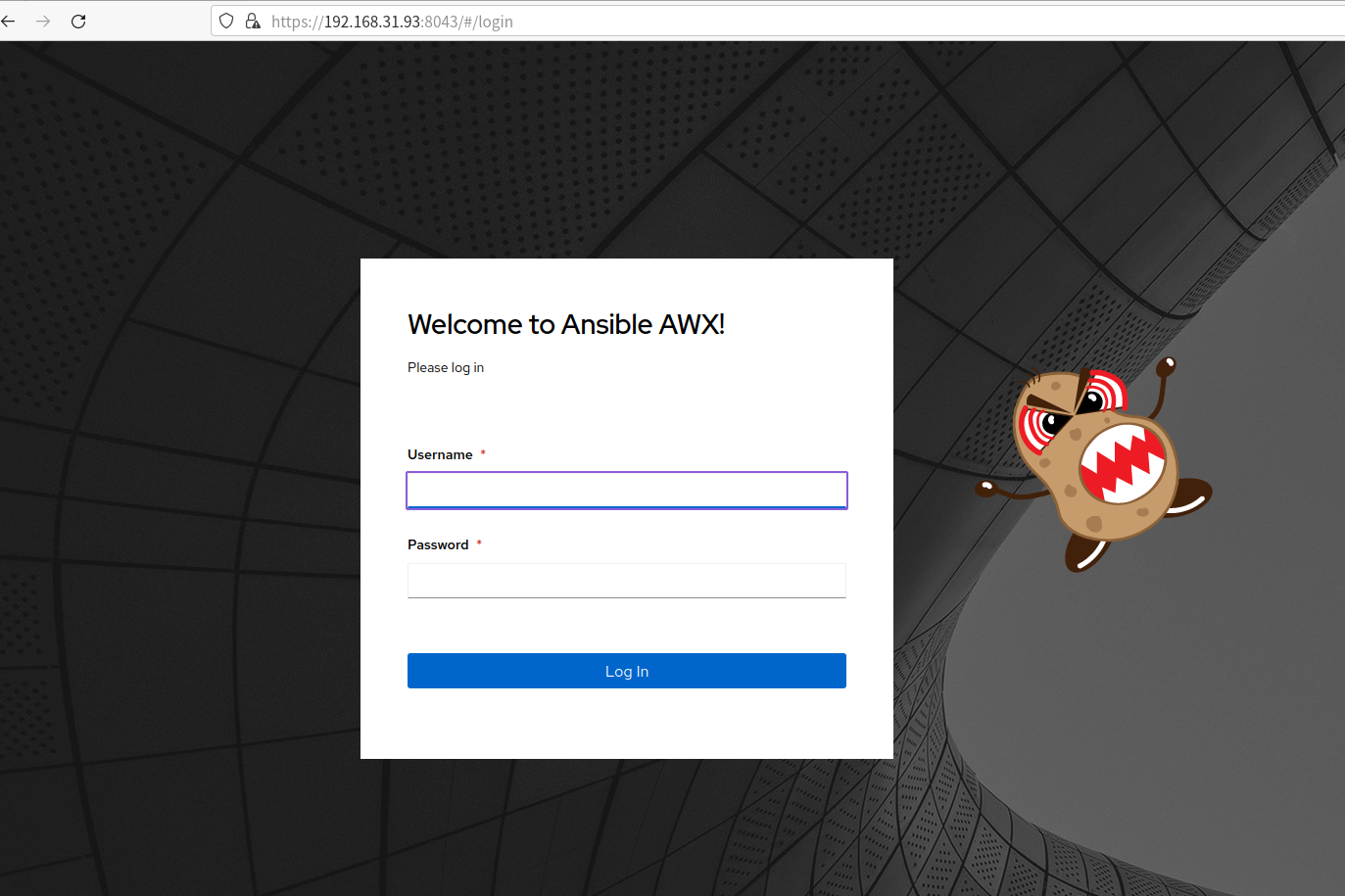
帳號:admin ,密碼:{在 log 裡}
AWX Commands
啟動 AWX
# 前景運行
cd awx-repo/
make docker-compose

# 背景運行
make docker-compose COMPOSE_UP_OPTS=-d
停止 AWX
docker stop tools_awx_1 tools_postgres_1 tools_redis_1Create an admin user
docker exec -ti tools_awx_1 awx-manage createsuperuser