
AIX VM with qemu
Prerequisities
QEMU commands
PowerPC System Board-specific
qemu-system-ppc64 --machine helpcobra@fedora-vm:~$ qemu-system-ppc64 --version
QEMU emulator version 8.2.6 (qemu-8.2.6-3.fc40)
Copyright (c) 2003-2023 Fabrice Bellard and the QEMU Project developers這版的 QEMU 已經修復了 ps, crontab, cron, java 指令問題。
Install AIX from CD-ROM
Create a VM
mkdir aix72VM
cd aix72VM
qemu-img create -f  qcow2  hdisk0.qcow2  20G
注意: AIX 版本必須 7200-03-00 以後版本才有支援。
aix_7200-04-00-1937_1of2_112019.iso
cd aix72VM
mv aix_7200-04-00-1937_1of2_112019.iso AIX72.iso
Boot from cd-rom
cd aix72VM

qemu-system-ppc64 -cpu POWER8 \
-machine pseries -m 4096 -serial stdio \
-drive file=hdisk0.qcow2,if=none,id=drive-virtio-disk0 \
-device virtio-scsi-pci,id=scsi \
-device scsi-hd,drive=drive-virtio-disk0 \
-cdrom $PWD/AIX72.iso \
-prom-env "boot-command=boot cdrom:" \
-prom-env "input-device=/vdevice/vty@71000000" \
-prom-env "output-device=/vdevice/vty@71000000"
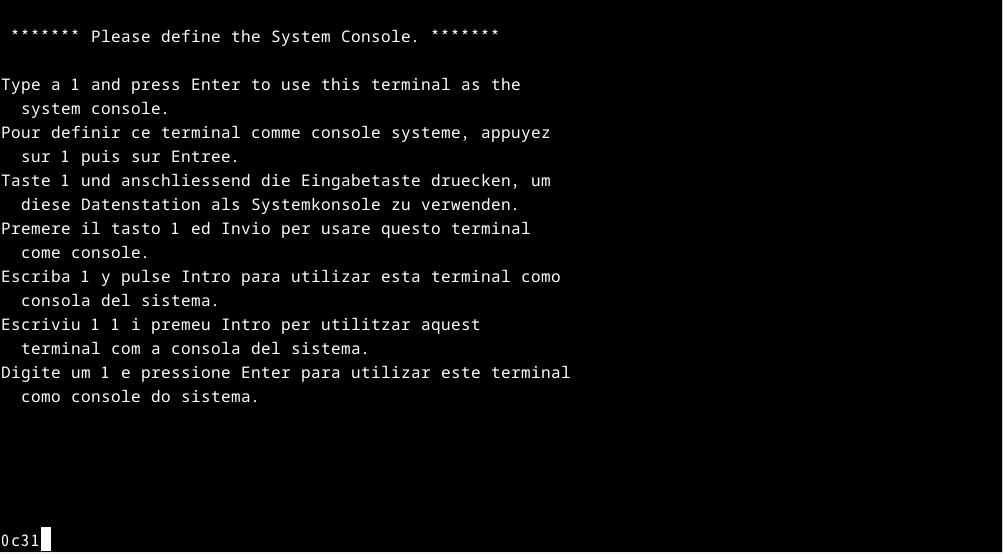
Type 1 and press Enter
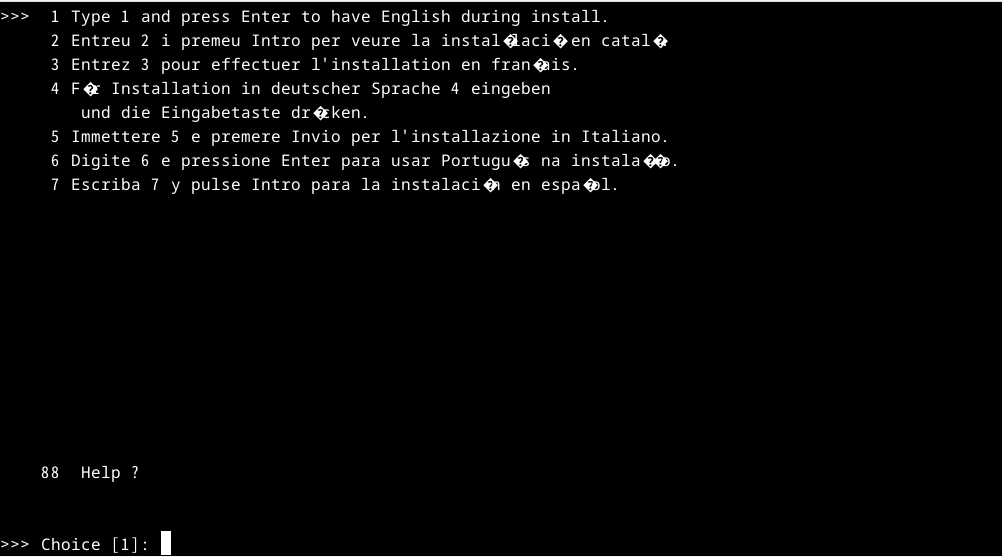
Press Enter
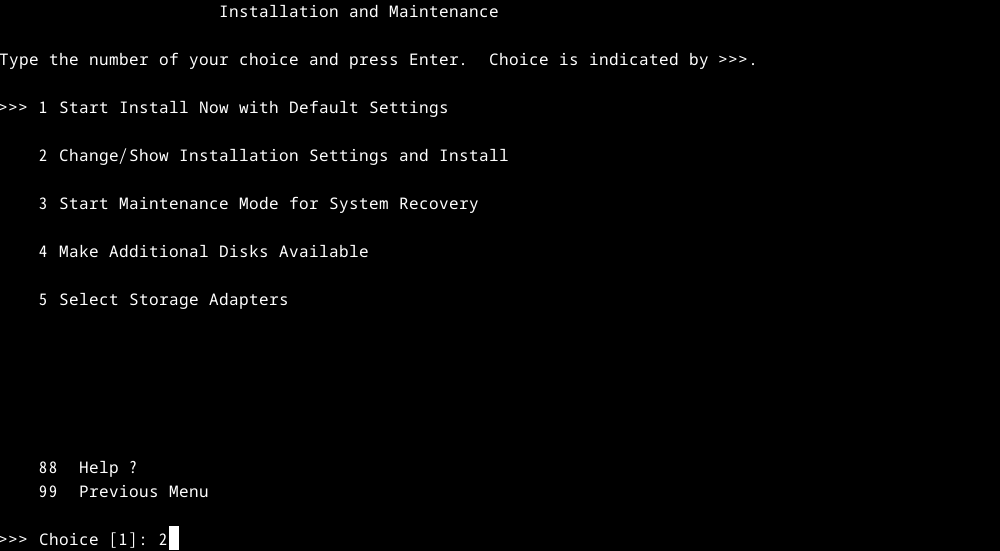
Type 2
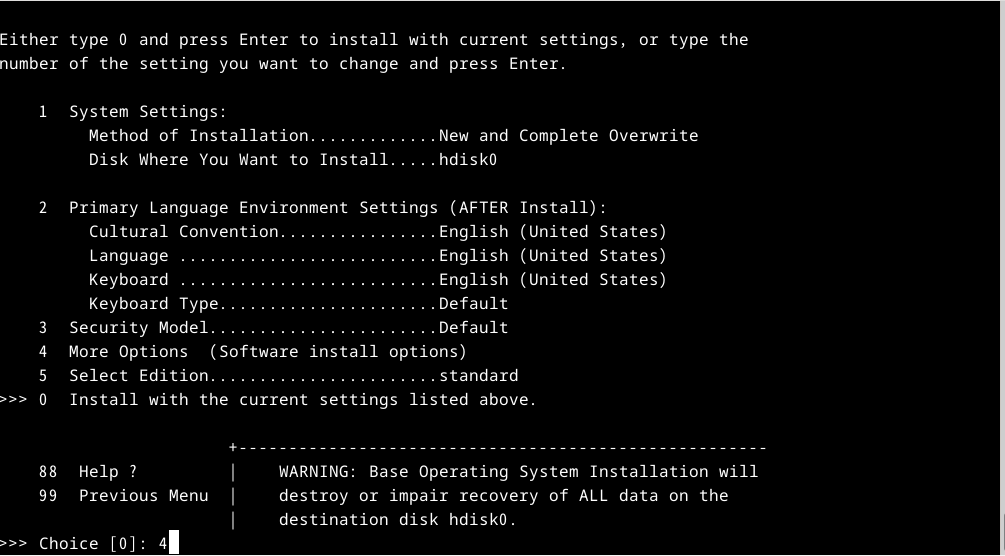
Type 4
Type 5
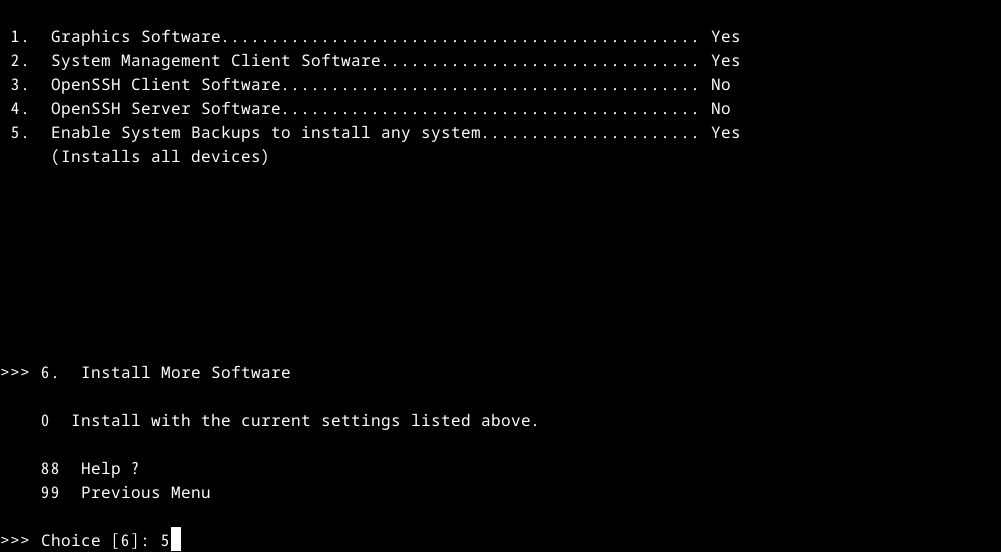
Type 0
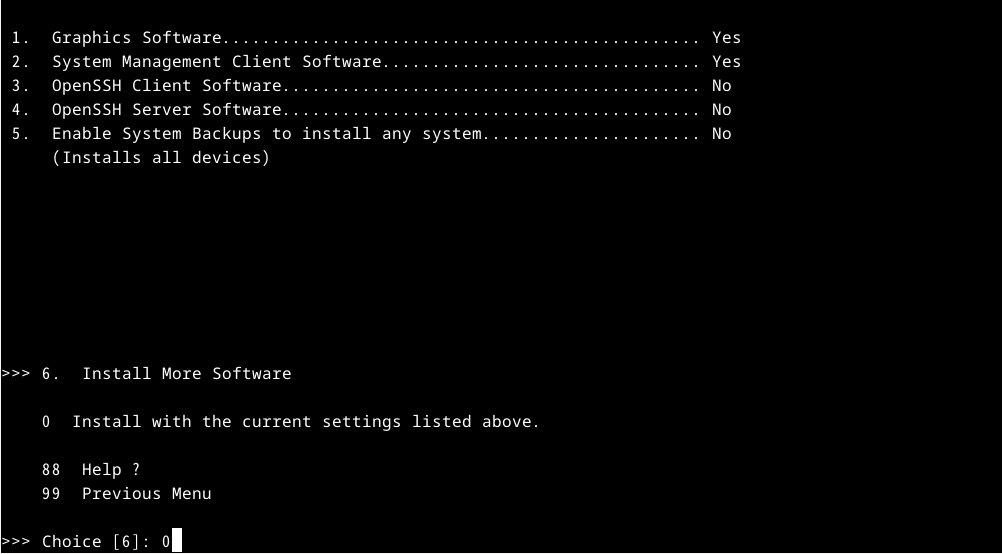
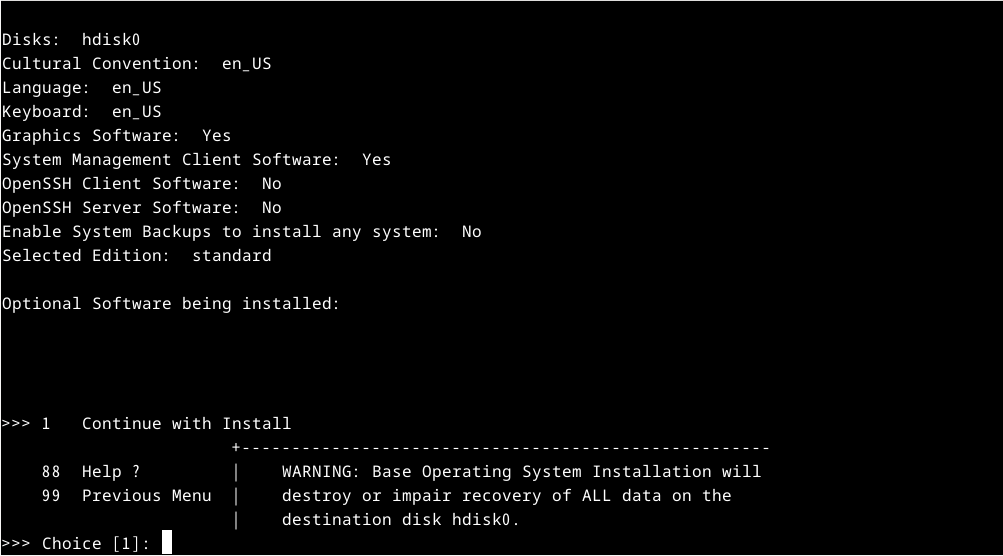
Press Enter to install AIX
看到這畫面時,表示 AIX 作業系統已經完成安裝。
輸入 Ctrl + C 離開
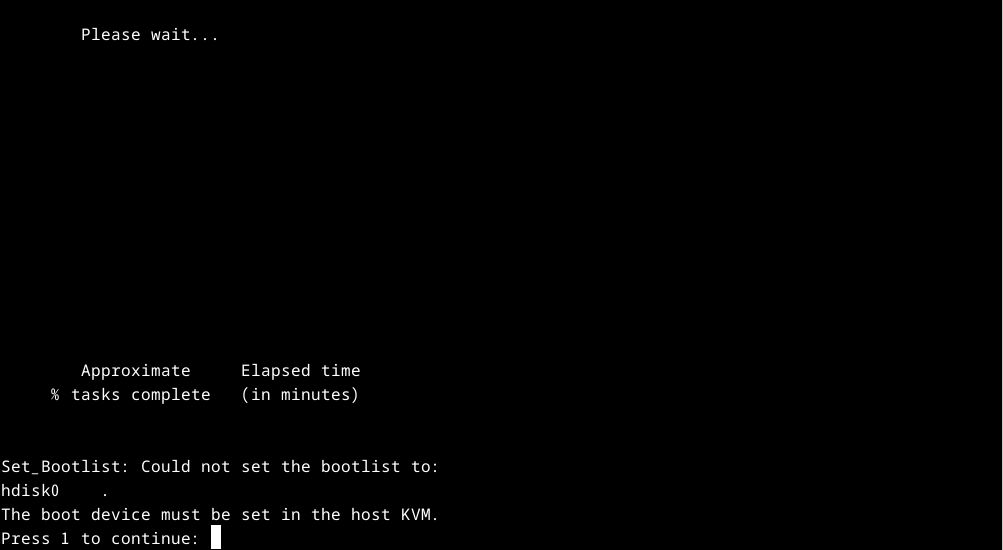
Fix boot issue
Boot from cd-rom
cd aix72VM

qemu-system-ppc64 -cpu POWER8 \
-machine pseries -m 4096 -serial stdio \
-drive file=hdisk0.qcow2,if=none,id=drive-virtio-disk0 \
-device virtio-scsi-pci,id=scsi \
-device scsi-hd,drive=drive-virtio-disk0 \
-cdrom $PWD/AIX72.iso \
-prom-env "boot-command=boot cdrom:" \
-prom-env "input-device=/vdevice/vty@71000000" \
-prom-env "output-device=/vdevice/vty@71000000"
Type 1 and press Enter
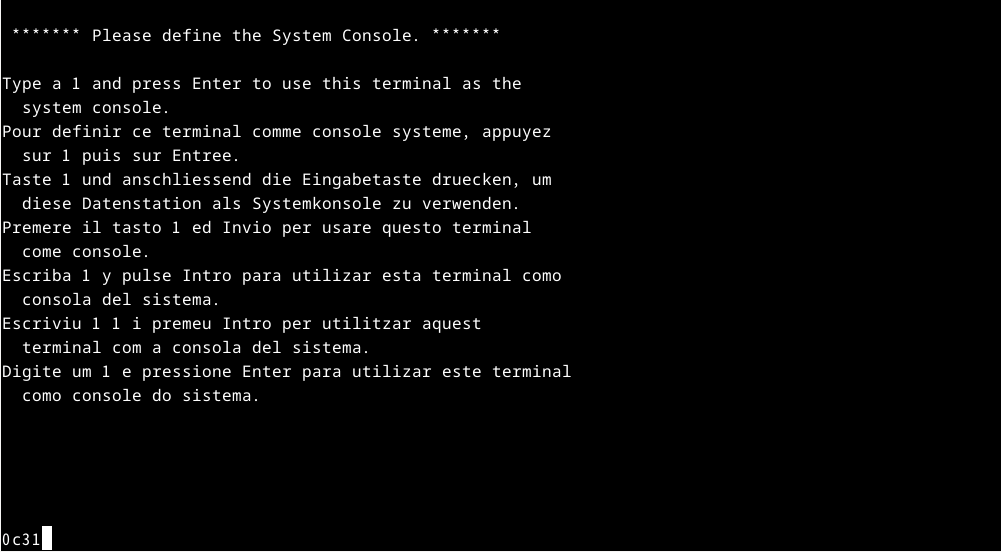
Press Enter
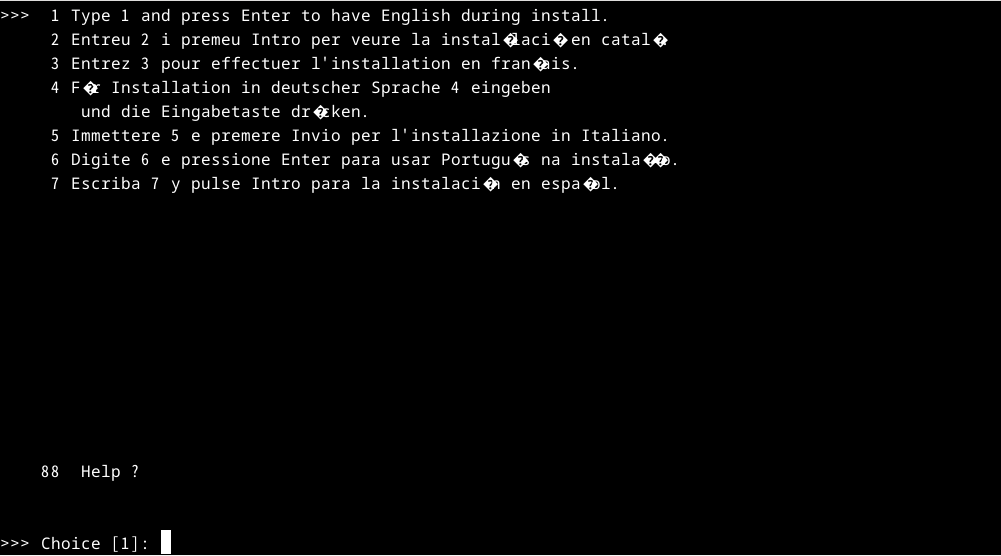
Type 3
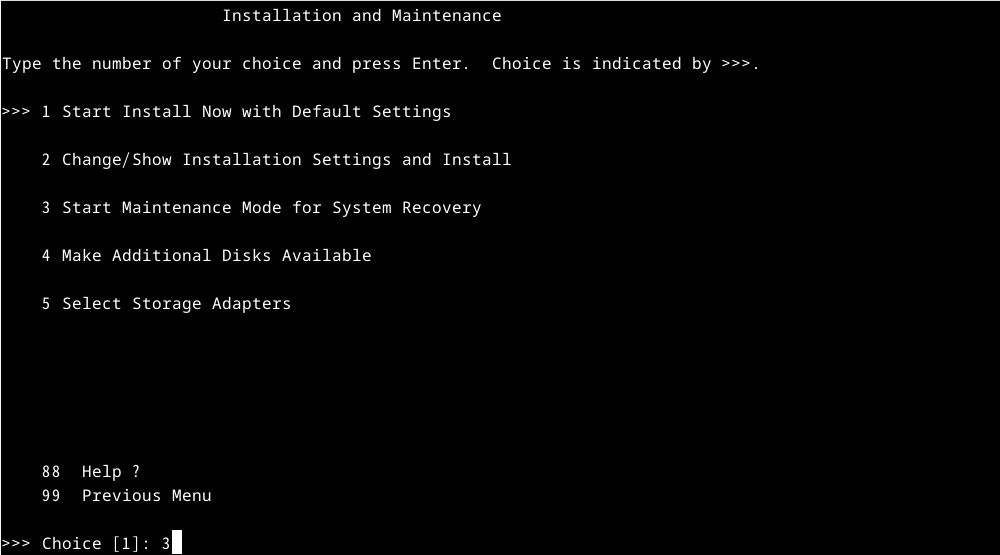
Type 0
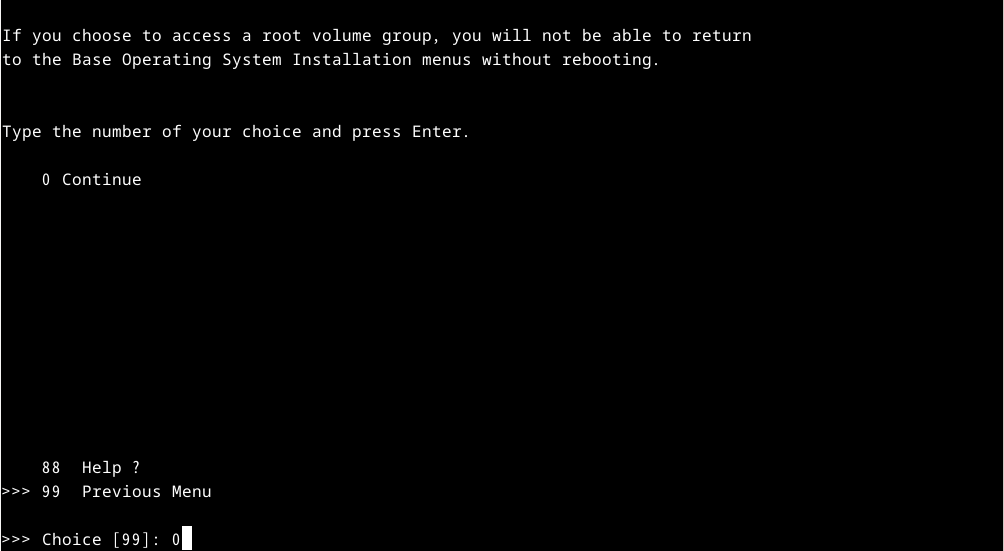
Type 1
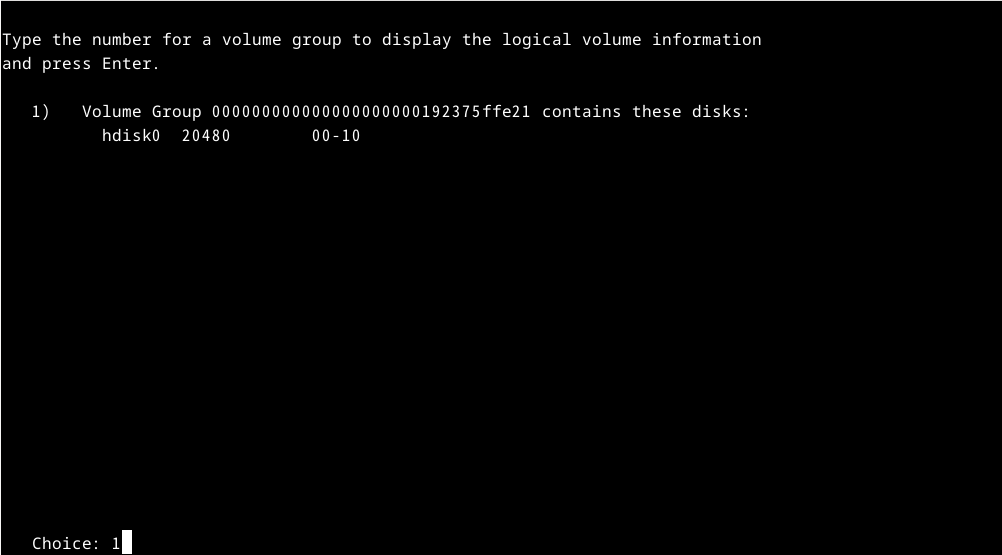
Type 1
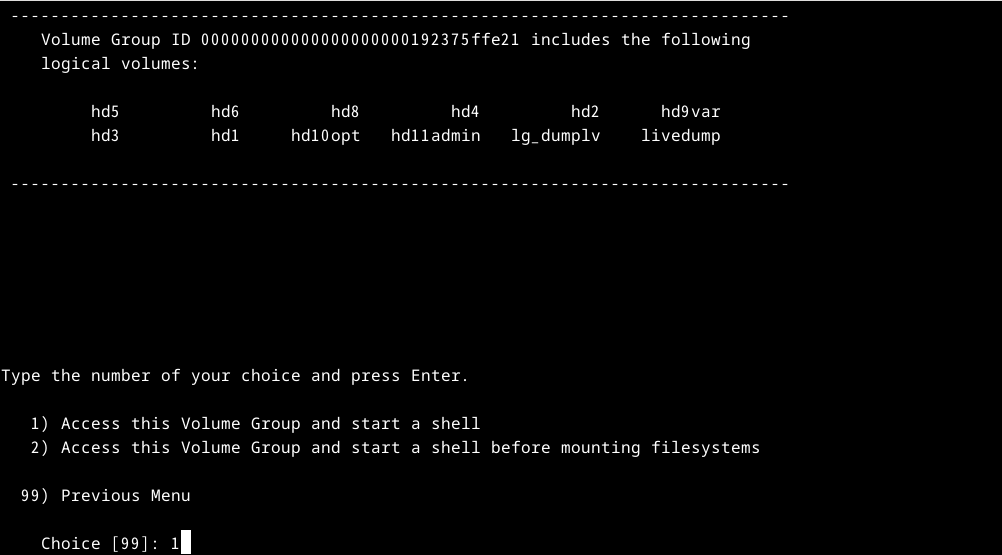
輸入修復開機指令
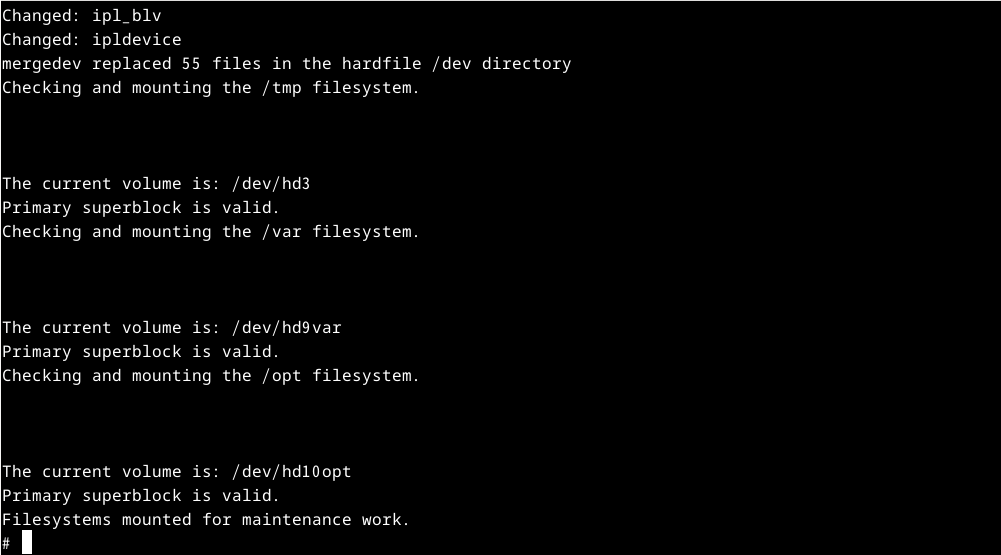
Fix boot issue
cd /sbin/helpers/jfs2
mv fsck64 fsck64.old
ln -s fsck fsck64

mv logredo64 logredo64.old
ln -s logredo logredo64

sync;sync;
halt
First boot from hdisk
cd aix72VM

qemu-system-ppc64 -cpu POWER8 \
-machine pseries -m 4096 -serial stdio \
-drive file=hdisk0.qcow2,if=none,id=drive-virtio-disk0 \
-device virtio-scsi-pci,id=scsi \
-device scsi-hd,drive=drive-virtio-disk0 \
-cdrom $PWD/AIX72.iso \
-prom-env "boot-command=boot hdisk:" \
-prom-env "input-device=/vdevice/vty@71000000" \
-prom-env "output-device=/vdevice/vty@71000000"
Type vt100
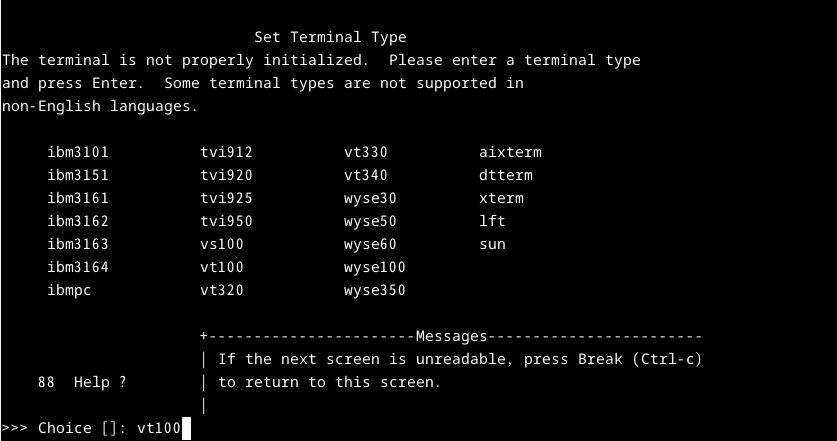
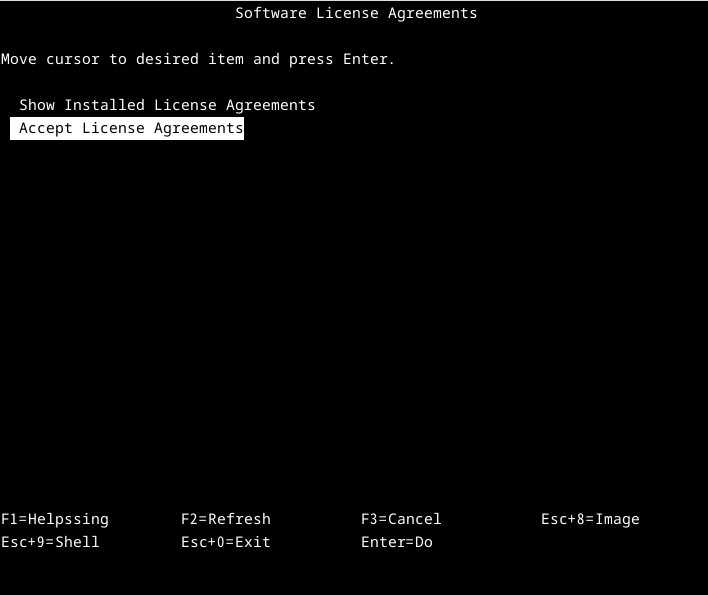
Select: Accept License Agreements
Tips: 如果這裡的畫面出現沒有對齊的情況,且影響到後續的操作。按下 Ctrl + C 先中斷離開,將終端機的字形調更小,然後再重新執行步驟。
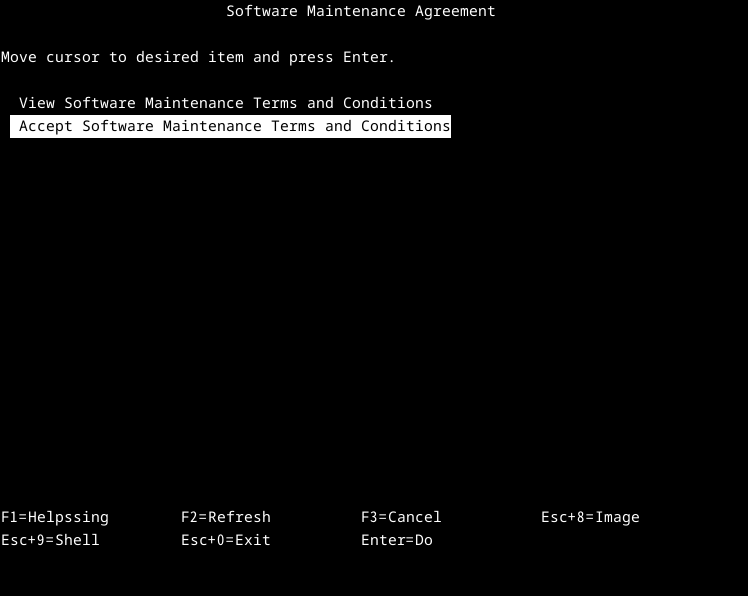
Select: Accept Software Maintenance Terms and Conditions
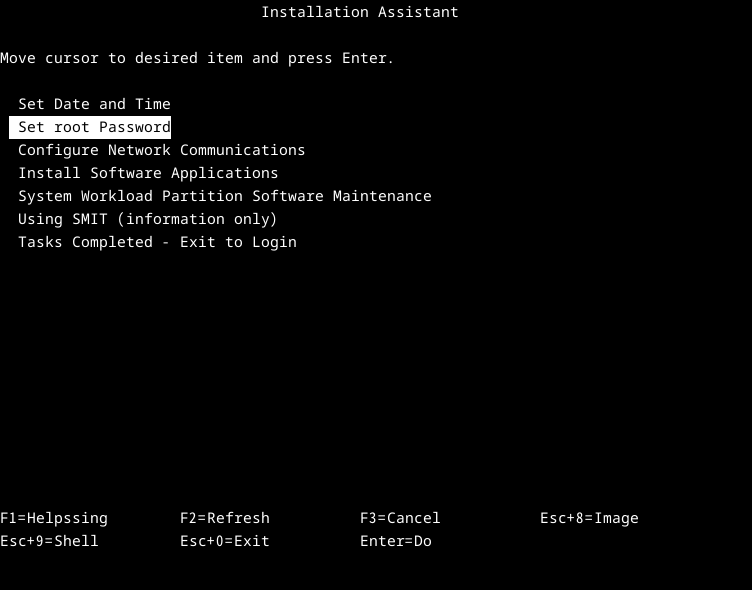
Select: Set root Password
Tip: 設定完密碼後,最後要選擇 Task Completed - Exit to Login。如果略過這,下次在開啟系統時,初始化的步驟仍會再出現。
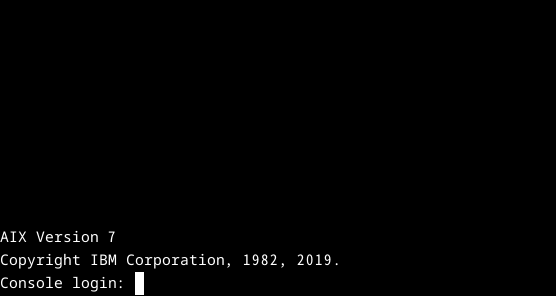
用剛剛設定的 root 帳密登入
Post-tasks
- Disable some problematic services
rmitab diagd
rmitab rcnfs
rmitab aso
rmitab clcomd
rmitab pfcdaemon
stopsrc -s clcomd
stopsrc -s pfcdaemon
- Network setup
On Linux)
net_tap.sh:
BRIDGE=virbr0
NETWORK=192.168.99.0
NETMASK=255.255.255.0
GATEWAY=192.168.99.1
DHCPRANGE=192.168.99.2,192.168.99.50
TAP=tap0

sudo ip link add $BRIDGE type bridge
sudo ip link set dev $BRIDGE up
sudo ip addr add dev $BRIDGE $GATEWAY/$NETMASK

sudo ip tuntap add $TAP mode tap
sudo ip link set $TAP master $BRIDGE
sudo ip link set up dev $TAP

# Uncomment the following lines to enable the DHCP server
#dns_cmd=(
#    dnsmasq
#    --strict-order
#    --except-interface=lo
#    --interface=$BRIDGE
#    --listen-address=$GATEWAY
#    --bind-interfaces
#    --dhcp-range=$DHCPRANGE
#    --conf-file=""
#    --pid-file=/var/run/qemu-dnsmasq-$BRIDGE.pid
#    --dhcp-leasefile=/var/run/qemu-dnsmasq-$BRIDGE.leases
#    --dhcp-no-override
#)
#echo ${dns_cmd[@]} | sudo bash
Run net_tap.sh
bash net_tap.shAllow access to internet
sudo firewall-cmd --permanent --zone=public --add-interface=tap0
sudo firewall-cmd --permanent --add-masquerade
sudo firewall-cmd --reload
Boot with network interface tap0
qemu-system-ppc64 -cpu POWER8 \
  -machine pseries -m 4096 -serial mon:stdio \
  -drive file=hdisk0.qcow2,if=none,id=drive-virtio-disk0 \
  -device virtio-scsi-pci,id=scsi \
  -device scsi-hd,drive=drive-virtio-disk0 \
  -cdrom $PWD/AIX72.iso \
  -net nic -net tap,script=no,ifname=tap0 \
  -prom-env "boot-command=boot disk:" \
  -nographic
On AIX)
# Check the network interface
lsdev -Cc if
lsdev -Cc adapter

# Set the ip
chdev -l en0 -a netaddr=192.168.99.100 -a netmask=255.255.255.0 -a state=up
route add 0 192.168.99.1
# Alternatively, using the following command instead
/usr/sbin/mktcpip -h'aixvm' -a'192.168.99.100' -m'255.255.255.0' -i'en0' -g'192.168.99.1' -A'no' -t'N/A'

echo "nameserver 1.1.1.1" > /etc/resolv.conf
- Increase the filesystem size
lsdev -Cc disk
lscfg -vl hdisk0
chfs -a size=+1024M /home
chfs -a size=+2048M /opt
chfs -a size=+512M /tmp
chfs -a size=+2048M /usr
chfs -a size=+1024M /var
- Install OpenSSH
mount  -v  cdrfs  -o  ro  /dev/cd0  /mnt
mkdir   /tmp/ssh_install
cd  /mnt/installp/ppc
cp  openssh*  /tmp/ssh_install
cd  /tmp/ssh_install
installp -acgXYd . openssh.base openssh.license openssh.man.en_US openssh.msg.en_US
lssrc  -s  sshd
- Fix the RPM issue
error: cannot open Packages index using db4 - Invalid argument (22)
error: cannot open Packages database in /opt/freeware/packages
error: db4 error(22) from dbenv->open: Invalid argument
Solution: fixrpm.sh
#!/usr/bin/ksh

cd /opt/freeware
rm -f *.rpm.packages.tar
tar -chvf `date +"%d%m%Y"`.rpm.packages.tar packages
rm -f /opt/freeware/packages/__*
/usr/bin/rpm --rebuilddb

exit 0
Edit /etc/initab, insert the line after the rctcpip
rctcpip:23456789:wait:/etc/rc.tcpip > /dev/console 2>&1 # Start TCP/IP daemons
fixrpm:23456789:once:/fixrpm.sh > /dev/null 2>&1 # Added by Alang
- Install AIX Toolbox
Download the files
- dnf_aixtoolbox.sh : https://public.dhe.ibm.com/aix/freeSoftware/aixtoolbox/ezinstall/ppc/dnf_aixtoolbox.sh
- openssl-1.1.2.2000.tar.Z : https://www.ibm.com/resources/mrs/assets?source=aixbp&S_PKG=openssl
cd /home/worktmp
uncompress openssl-1.1.2.2000.tar.Z
tar -xvf openssl-1.1.2.2000.tar
cd openssl-1.1.2.2000
installp -qaXFY -d . openssl.base openssl.license openssl.man.en_US
openssl version
cd /home/worktmp
rpm --rebuilddb
ksh dnf_aixtoolbox.sh -y
/opt/freeware/bin/dnf update
/opt/freeware/bin/dnf install bash- Optional tasks
- Custom the prompt, create the profile /.profile
PS1="`whoami`@`hostname -s`:"'${PWD##*/}> '- Timezone
smitty > System Environments > Change/Show Date and Time > Change Time Zone Using System
echo $TZ- The ordering of certain name resolution services
Edit: /etc/netsvc.conf
hosts = local, bind4- Set the environment variables
Edit: /etc/environment
# Fix for not properly displaying with smitty on the tmux
TERM=xterm
其他管理工作
- 掛載 CD ISO 檔
修改qemu 啟動參數 -cdrom /path/to/your-cd.iso
qemu-system-ppc64 -cpu POWER8 \
  -machine pseries -m 4096 -serial mon:stdio \
  -drive file=hdisk0.qcow2,if=none,id=drive-virtio-disk0 \
  -device virtio-scsi-pci,id=scsi \
  -device scsi-hd,drive=drive-virtio-disk0 \
  -cdrom $PWD/AIX72.iso \
  -net nic -net tap,script=no,ifname=tap0 \
  -prom-env "boot-command=boot disk:" \
  -nographic
AIX 掛載指令
mount -v cdrfs -o ro /dev/cd0 /mnt- 增加第2顆虛擬硬碟
在 Linux 主機:新增 5G 虛擬磁碟 hdisk1.qcow2
cd aix72VM
qemu-img create -f qcow2 hdisk1.qcow2 5G
修改啟動指令,新增兩行參數
-drive file=hdisk1.qcow2,if=none,id=drive-virtio-disk1 \
-device scsi-hd,drive=drive-virtio-disk1 \
完整啟動參數
qemu-system-ppc64 -cpu POWER8 \
  -machine pseries -m 4096 -serial mon:stdio \
  -cdrom $PWD/AIX72.iso \
  -device virtio-scsi-pci,id=scsi \
  -drive file=hdisk0.qcow2,if=none,id=drive-virtio-disk0 \
  -device scsi-hd,drive=drive-virtio-disk0 \
  -drive file=hdisk1.qcow2,if=none,id=drive-virtio-disk1 \
  -device scsi-hd,drive=drive-virtio-disk1 \
  -net nic -net tap,script=no,ifname=tap0 \
  -prom-env "boot-command=boot disk:" \
  -nographic -smp 2
在 AIX 主機:檢視硬碟 hdisk1
root@aixvm:> lspv
hdisk0          00000000375ffb46                    rootvg          active
hdisk1          none                                None

root@aixvm:> lsdev -Cc disk
hdisk0 Available 00-10 MPIO Other Virtio SCSI Disk Drive
hdisk1 Available 00-10 MPIO Other Virtio SCSI Disk Drive

root@aixvm:> lscfg -vpl hdisk1
  hdisk1           qemu_virtio-scsi-pci:0000:00:02.0-LW_0  MPIO Other Virtio SCSI Disk Drive

        Manufacturer................QEMU
        Machine Type and Model......QEMU HARDDISK
        Part Number.................
        ROS Level and ID............322E352B
        Serial Number...............
        EC Level....................
        FRU Number..................
        Device Specific.(Z0)........00000512FA000012
        Device Specific.(Z1)........
        Device Specific.(Z2)........
        Device Specific.(Z3)........
        Device Specific.(Z4)........
        Device Specific.(Z5)........
        Device Specific.(Z6)........


  PLATFORM SPECIFIC

  Name:  disk
    Node:  disk
    Device Type:  block
- 增加 vCPU
預設 QEMU 只有 1 vCPU,要改善 AIX 的效能,可以視硬體等級增加更多 vCPU。
qemu-system-ppc64 啟動參數加上
-nographic -smp 2,sockets=2,cores=1,threads=1- 增加虛擬網卡裝置
qemu-system-ppc64 啟動參數設置兩個虛擬網卡
-net nic \
-net nic \
-net tap,script=no,ifname=tap0 \
如果要榜定 mac addr.
-net nic,macaddr=56:44:45:30:31:31 \
-net nic,macaddr=56:44:45:30:31:32 \
-net tap,script=no,ifname=tap0 \
References
- AIX on qemu-system-ppc64
- Run AIX 7.2 on x86 with QEMU – Kwakou SysAdmin
- Qemu模拟器运行AIX 7.2 系统 - 运维小菜鸟 - 博客园 (cnblogs.com)
- Run your AIX VM on x86 using KVM and QEMU (ibm.com)
- qemu7模拟安装aix72,详细过程,附带镜像_aix 7.2版本qcow2格式镜像下载-CSDN博客
- 遷移現有 AIX 7.2 系統至 QEMU VM
- AIX 7.2 虚拟机安装 - 杰哥的{运维,编程,调板子}小笔记 (jia.je)
- AIX for System Administrators: DEVOPS - QEMU (aix4admins.blogspot.com)
- YT: AIX 7.2 installation in QEMU - YouTube
- YT: Install AIX on QEMU using virsh and virt-manager tools - YouTube
- YT: Updates on Install AIX and run PowerHA using virsh and virt-manager - YouTube
- libvirt: QEMU command-line passthrough